

Video editing is the backbone of YouTube content creation, and different creators lean on different tools. Final Cut Pro powers Mac users with speed, while Adobe Premiere Pro remains the industry standard for professionals. Filmora makes editing easy for beginners, and CapCut is now a go-to for Shorts creators. Free options like OBS Studio, Shotcut, and Lightworks serve those on a budget.
Let’s explore what apps YouTubers use to edit their videos!
In This Article:
How We Test The Video Editing Apps For YouTube
When we evaluate video editing apps for YouTube, we focus on how well they meet creators’ real needs. We test usability by exploring how quickly a beginner can create polished content and how advanced features support professional YouTubers.
Performance is measured through rendering speed, supported formats, and stability under heavy editing. We also compare built-in assets like transitions, effects, and templates, since these save time for creators.
Finally, we assess cost versus value, ensuring both free and paid tools deliver quality results. This hands-on approach lets us recommend software that balances creativity, efficiency, and accessibility for YouTubers.
What Do Most YouTubers Use To Edit Their Videos?
Final Cut Pro – Best for Mac creators wanting professional speed and precision
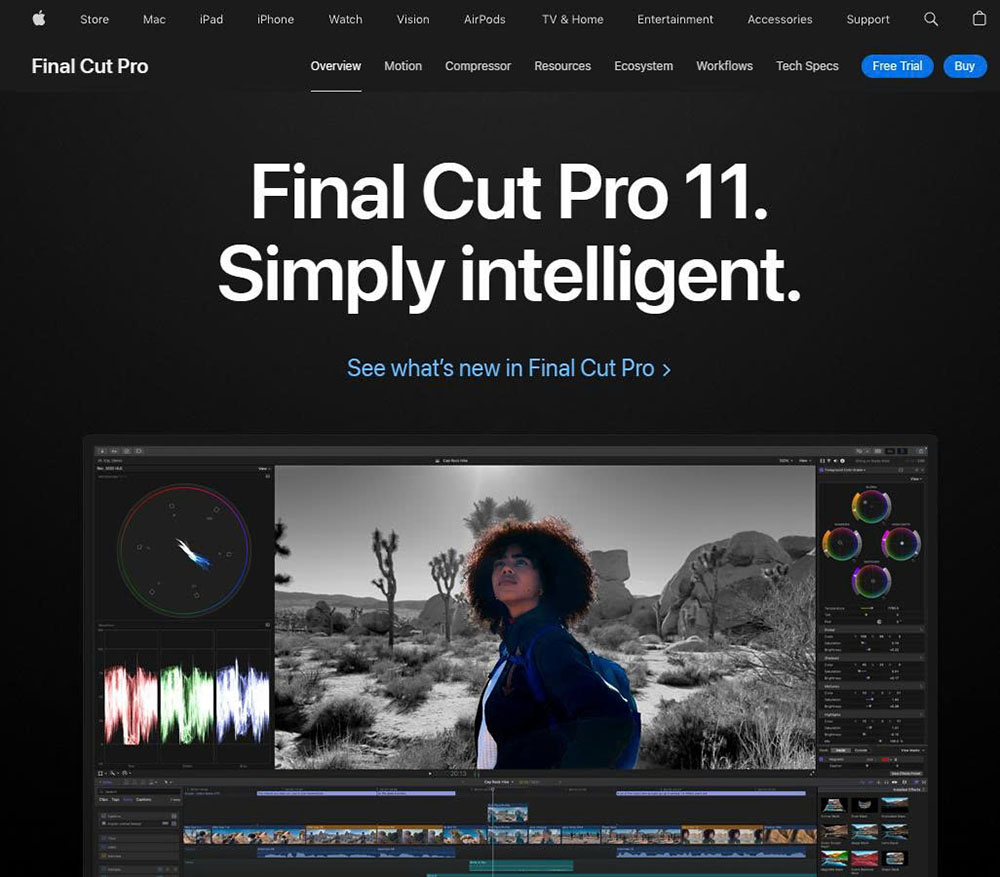
Final Cut Pro is Apple’s cornerstone video editor, designed for creators who want professional power optimized for macOS. Famous for its fast rendering, magnetic timeline, and seamless integration with Apple’s ecosystem, it’s a favorite among YouTubers working on Macs who want both speed and quality.
Pros:
- Magnetic Timeline 2 dramatically simplifies complex editing workflows
- Optimized for Apple Silicon chips (M1, M2, M3), delivering up to 6x faster render speeds
- Advanced color grading with HDR, LUTs, and color wheels for cinematic quality
- 360° video editing with VR headset playback support
- Multi-camera editing supports up to 64 camera angles simultaneously
- Professional audio editing with built-in Logic Pro filters
- Works seamlessly with Motion and Compressor for advanced effects and encoding
Cons:
- Available only on macOS
- One-time high cost ($299.99)
- Lacks some collaborative cloud editing features
Filmora – Best for beginners who need simple, drag-and-drop editing

Filmora focuses on simplicity while packing in plenty of creative features, making it especially appealing to beginner and intermediate YouTubers. Its drag-and-drop style, stock effects, and AI-powered tools accelerate video creation.
Pros:
- Drag-and-drop workflow with over 1,000 built-in effects, transitions, and elements
- AI tools like AI Smart Cutout, AI Audio Stretch, and AI Text-to-Speech
- Massive stock library via Filmstock and integrated templates for instant editing
- Screen recorder, split-screen editing, and green screen support
- Cross-platform editing across Windows, macOS, iOS, and Android
- Fast rendering engine with support for 4K exports
- Direct export to YouTube, TikTok, and Vimeo
Cons:
- Watermark in the free version
- Limited fine-grained control compared to pro editors
OBS Studio – Best for free screen recording and live streaming

OBS Studio is a free, open-source powerhouse widely used by gaming YouTubers and streamers. It excels in real-time video capture, screen recording, and live broadcasting, while also offering plug-ins and customization options. It’s often paired with other editing tools for post-production polish.
Pros:
- Completely free and open-source, no hidden charges
- Real-time video/audio capture and mixing with unlimited scenes and sources
- Advanced audio filters (noise suppression, gain, limiter)
- Studio Mode for previewing before going live
- Supports all major streaming platforms (YouTube, Twitch, Facebook Live)
- Cross-platform: works on Windows, macOS, and Linux
- The modular dock UI allows a customizable workspace
- Huge library of community plug-ins and third-party integrations
Cons:
- The interface can overwhelm beginners
- No native timeline-based editing for post-production
DaVinci Resolve – Best for Hollywood-level color grading on a budget

DaVinci Resolve combines professional editing, audio post-production, VFX, and world-class color grading in a single video editor. Its free version is extremely powerful, making it a favorite for YouTubers who want cinematic visuals without spending hundreds on editing tools.
Pros:
- Hollywood-grade color grading with advanced HDR, curves, and color matching tools
- Fusion visual effects: motion graphics, 3D compositing, and particle effects
- Fairlight Audio Suite with 2,000+ tracks in real time
- Smart editing tools like cut page, dual timelines, and sync bin
- Collaboration tools: multiple users can edit, grade, and mix on the same project
- The free version includes 90% of Studio features
- Optimized for multi-GPU systems for faster rendering
Cons:
- Steeper learning curve than beginner tools
- Requires high-performance hardware for smooth operation
Lightworks – Best for indie editors seeking a powerful free tool

Lightworks is a pro-level editor with a free version that offers surprisingly powerful features. Known for its efficient editing workflow and advanced tools, it appeals to indie creators who want more than the basics without committing to expensive software.
Pros:
- Proven professional editor (used in “The Wolf of Wall Street” and “Pulp Fiction”)
- Free version with timeline-based editing and effects
- Built-in royalty-free music and stock video library
- Advanced trimming tools for frame-accurate edits
- Multicam editing and real-time effects
- Supports a wide variety of formats, including 4K ProRes
- Cloud storage and collaboration features in paid versions
Cons:
- Free version export capped at 720p
- The user interface can feel dated for new users
iMovie – Best for quick edits on Apple devices

iMovie comes pre-installed on Apple devices, making it the go-to entry-level editor for many YouTubers. With drag-and-drop simplicity, clean video templates, and tight iOS/macOS integration, it’s a great option for fast, polished videos without added cost.
Pros:
- Completely free with Apple devices
- Intuitive drag-and-drop interface with minimal learning curve
- Over 80 soundtracks, filters, titles, and transitions
- Supports 4K video editing natively
- Continuity: start on iPhone/iPad and finish editing on Mac
- Built-in trailer templates for cinematic storytelling
- Exports directly to YouTube or social platforms
Cons:
- Lacks advanced features like multicam or motion graphics
- macOS/iOS exclusive
CapCut – Best for mobile creators making YouTube Shorts

CapCut, developed by ByteDance (creators of TikTok), is a mobile-first editor ideal for short-form YouTube content like Shorts. With trendy effects, music integration, and intuitive controls, it’s perfect for creators focused on Shorts or editing directly on smartphones.
Pros:
- Free with robust features for a mobile app
- AI-powered features: auto captions, background remover, motion tracking
- Built-in library of trending sounds, effects, stickers, and filters
- Supports multi-layer editing with chroma key
- Optimized for vertical and short-form video formats
- Syncs across mobile, desktop, and browser versions
- Direct export to TikTok, YouTube Shorts, and Instagram Reels
Cons:
- Limited to short- and mid-form content
- Requires an internet connection for many effects
Camtasia – Best for tutorial makers who need recording + editing together

Camtasia is an all-in-one tool that combines screen recording with powerful editing, making it perfect for educators, trainers, and YouTubers creating tutorials. Its drag-and-drop workflow, built-in assets, and annotation tools simplify the creation of instructional content.
Pros:
- Screen recording with cursor effects, keystroke logging, and zoom/pan animations
- Drag-and-drop video editing with transitions, callouts, and annotations
- Huge library of assets: templates, stock video, and royalty-free audio
- Interactive elements: quizzes and hotspots for e-learning
- Green screen support and multi-track editing
- Built-in audio tools: noise removal, leveling, and narration
- Exports to multiple formats, including SCORM for training
Cons:
- Higher price point (ranging from $179.88 to $599)
- Less suited for cinematic or film-style editing
Shotcut – Best for open-source editing without cost
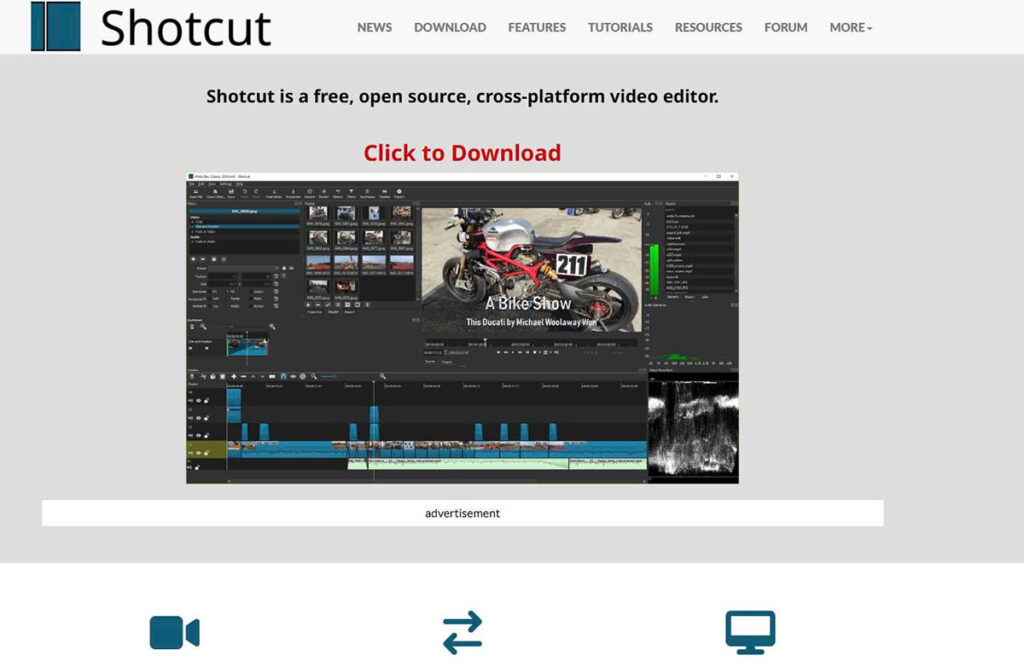
Shotcut is a free, open-source editor that offers surprising flexibility for creators on a budget. It supports a wide range of formats and has enough editing tools for YouTubers who don’t want to spend money but still want a functional editor.
Pros:
- 100% free and open-source, updated regularly
- Native timeline editing without importing clips
- Supports 4K, FFmpeg, and hundreds of formats/codecs
- Wide range of filters for color, transitions, and audio
- Hardware GPU acceleration for faster rendering
- Cross-platform (Windows, macOS, Linux)
- Flexible, modular UI for a customizable workspace
Cons:
- The interface is less polished compared to Filmora/iMovie
- Lacks built-in templates or asset libraries
Adobe Premiere Pro – Best for industry-standard, full-scale editing workflows

Adobe Premiere Pro is the industry’s gold standard for video editing, trusted by professional YouTubers. With endless customization, tight integration with Adobe Creative Cloud, and advanced editing tools, it’s the most versatile choice for serious creators.
Pros:
- Industry-standard with full-scale editing tools
- Tight integration with After Effects, Photoshop, and Audition
- Advanced features: multicam, Lumetri Color, and VR editing
- AI-powered Adobe Sensei tools (auto-reframing, transcription, captions)
- Cloud collaboration for team workflows
- Supports almost all media formats, including 8K and HDR
- Constant updates (recent features: Text-Based Editing, AI Scene Edit Detection)
Cons:
- Subscription-based pricing (starting at $22.99/month)
- Requires powerful hardware
- Steep learning curve for beginners
So Which One Is Best For You?
Choosing the best video editing software depends on your experience, device, and content style. Beginners may prefer Filmora or iMovie for their simplicity, while CapCut is ideal for mobile users creating Shorts or quick edits. If you’re aiming for professional-quality videos, Adobe Premiere Pro, Final Cut Pro, or DaVinci Resolve deliver advanced tools for cinematic results.